

A simple tool for personal outreach.
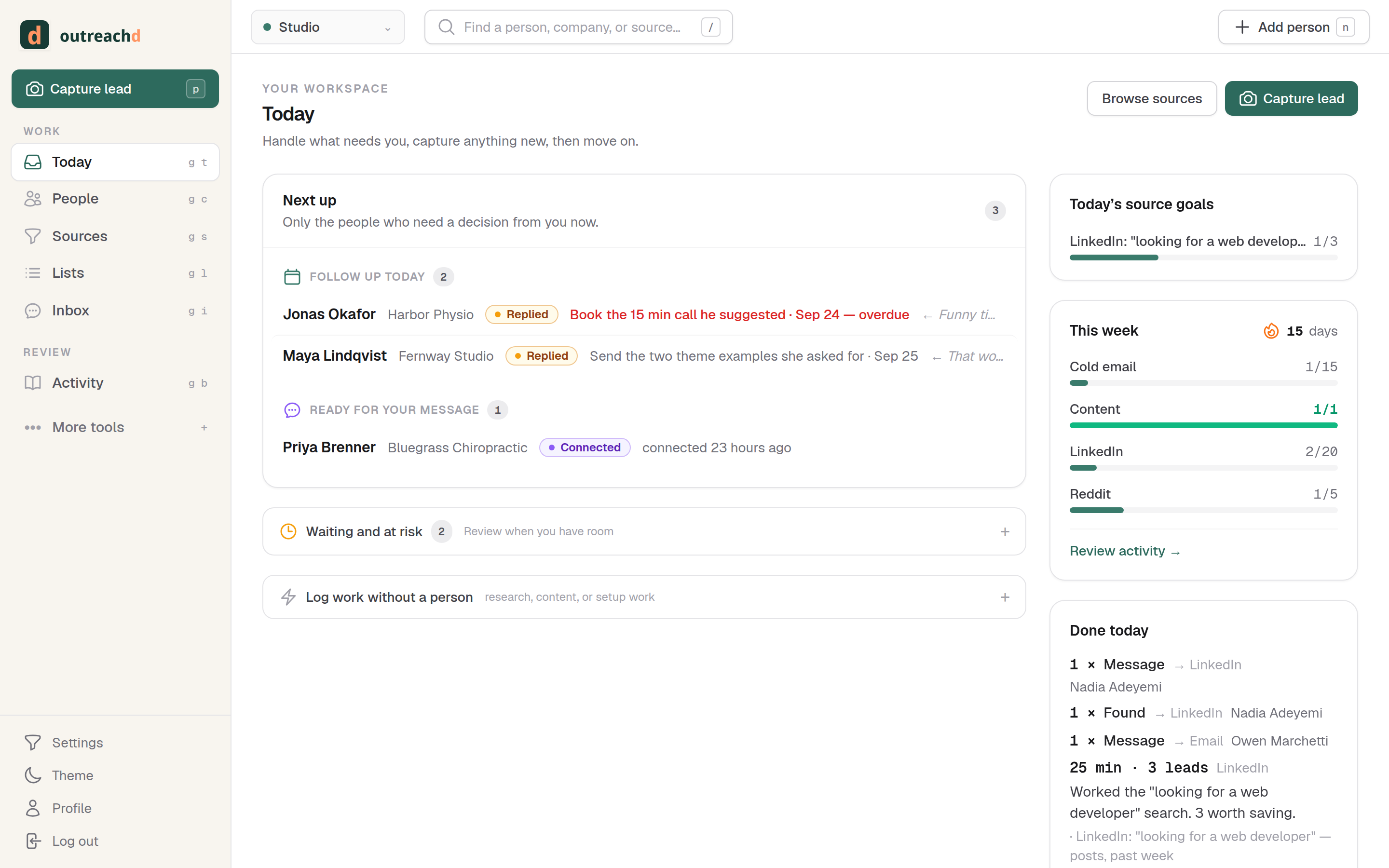
Capture who you found and why. Write to them. Log what you said. Follow up on time. One person at a time, from your own mailbox. Not a bulk email tool.
I built it because I needed customers.
Not as a product idea. As a way to keep my web development business alive.
I'm a web developer. For five years one client paid most of my bills. Then they left, and I had to do the thing I'd been avoiding: go and find work.
SEO took too long. Months of writing before anything moved. Ads were too expensive for a one-person shop. Lurking on forums turned into me asking an AI what to post instead of talking to anyone.
What worked was boring. I picked people who clearly needed a website fixed, looked at their actual site or post, and wrote to them. One at a time. Selected, not scraped. That is what saved the business.
The problem was memory. Who did I write to? What did I say? Who replied and is waiting on me? Which people did I find and then forget? Spreadsheets didn't survive a week. Bulk tools wanted me to send five hundred emails, which is exactly what I didn't want to do.
So I built the memory. This is the tool I use every day to do that work and keep doing it. If you're in the same spot, the waitlist is below.
See someone worth writing to? Capture it.
Five habits, one tool. Everything you do lands in one history, so nothing gets written twice or forgotten.
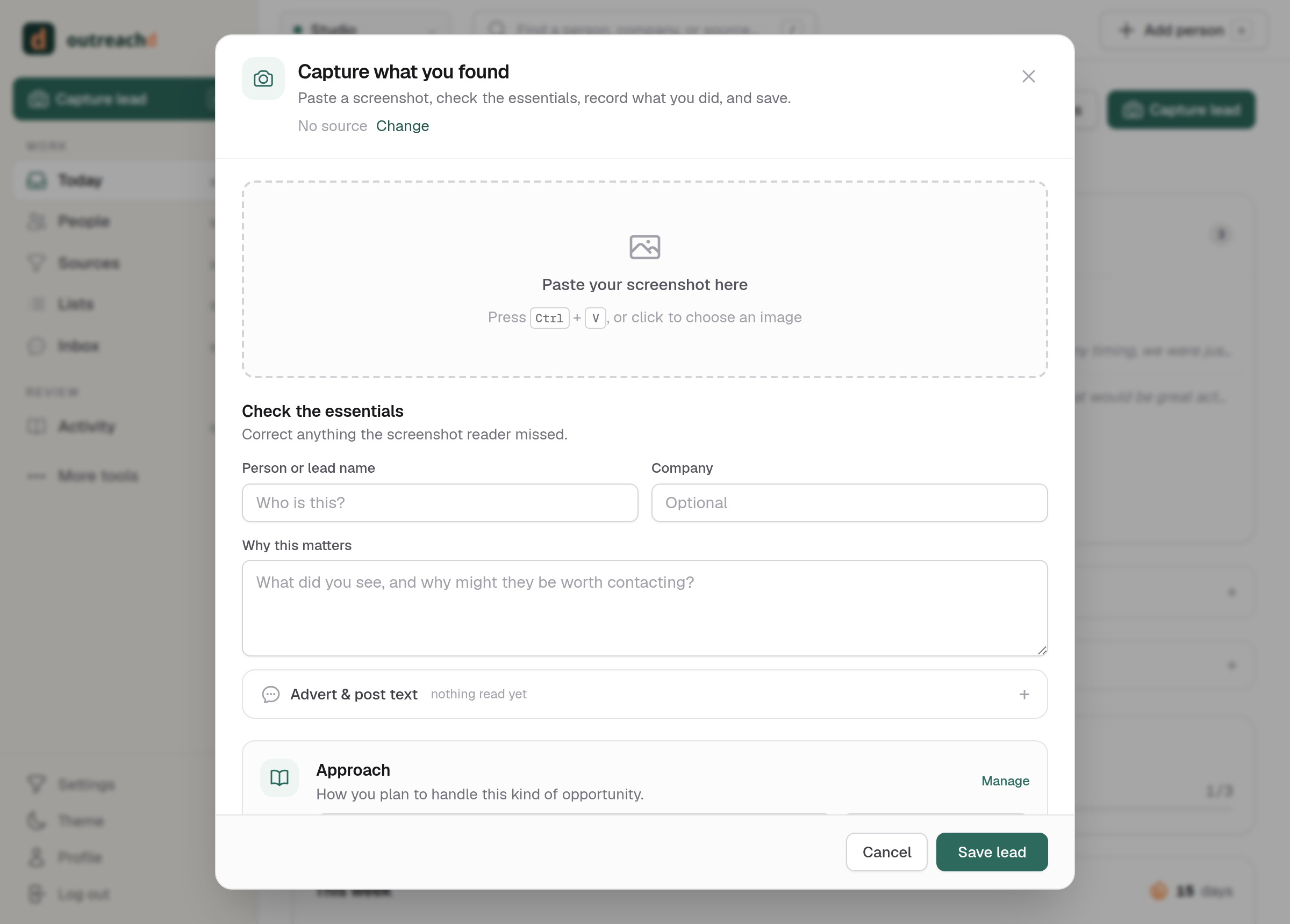
Capture anything by pasting a screenshot
A LinkedIn post asking for a developer. A forum thread. A prospect's own website. Hit paste and Outreachd reads the screenshot, pulls out the person, company, and what they said, and saves it as a lead with the evidence attached.
Only a name is required. You can add the rest later, or never.
Write to them, and record what you said and why
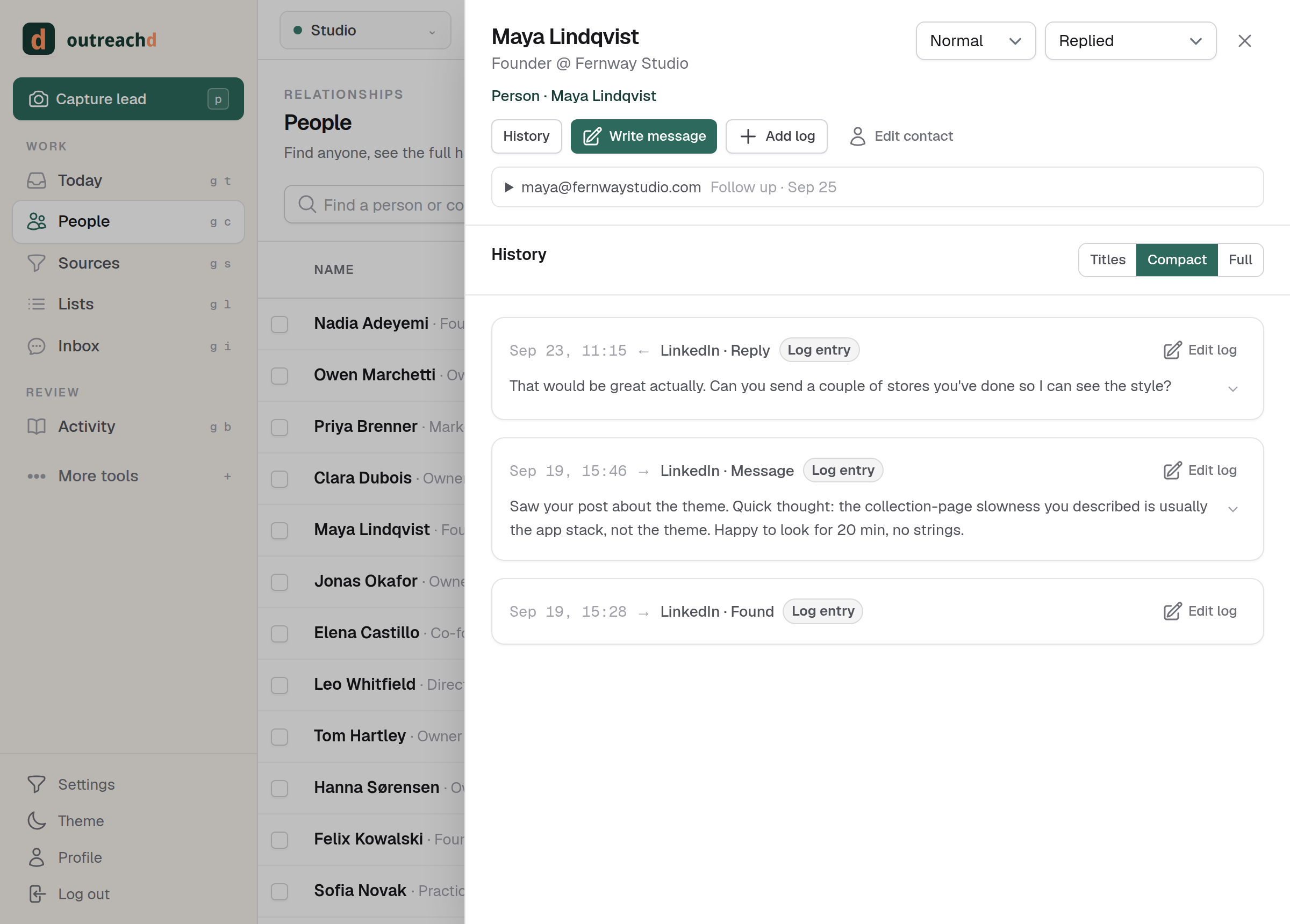
Send the email from your own mailbox, or reply on LinkedIn and log it. Either way the message, the angle you took, and their answer sit on the person's history. Next time you open them, you know exactly where you left off.
Want a starting point? AI can draft from the evidence and your writing rules. You edit, you approve, you send. It never sends on its own.
Found a directory of your audience? Make a list
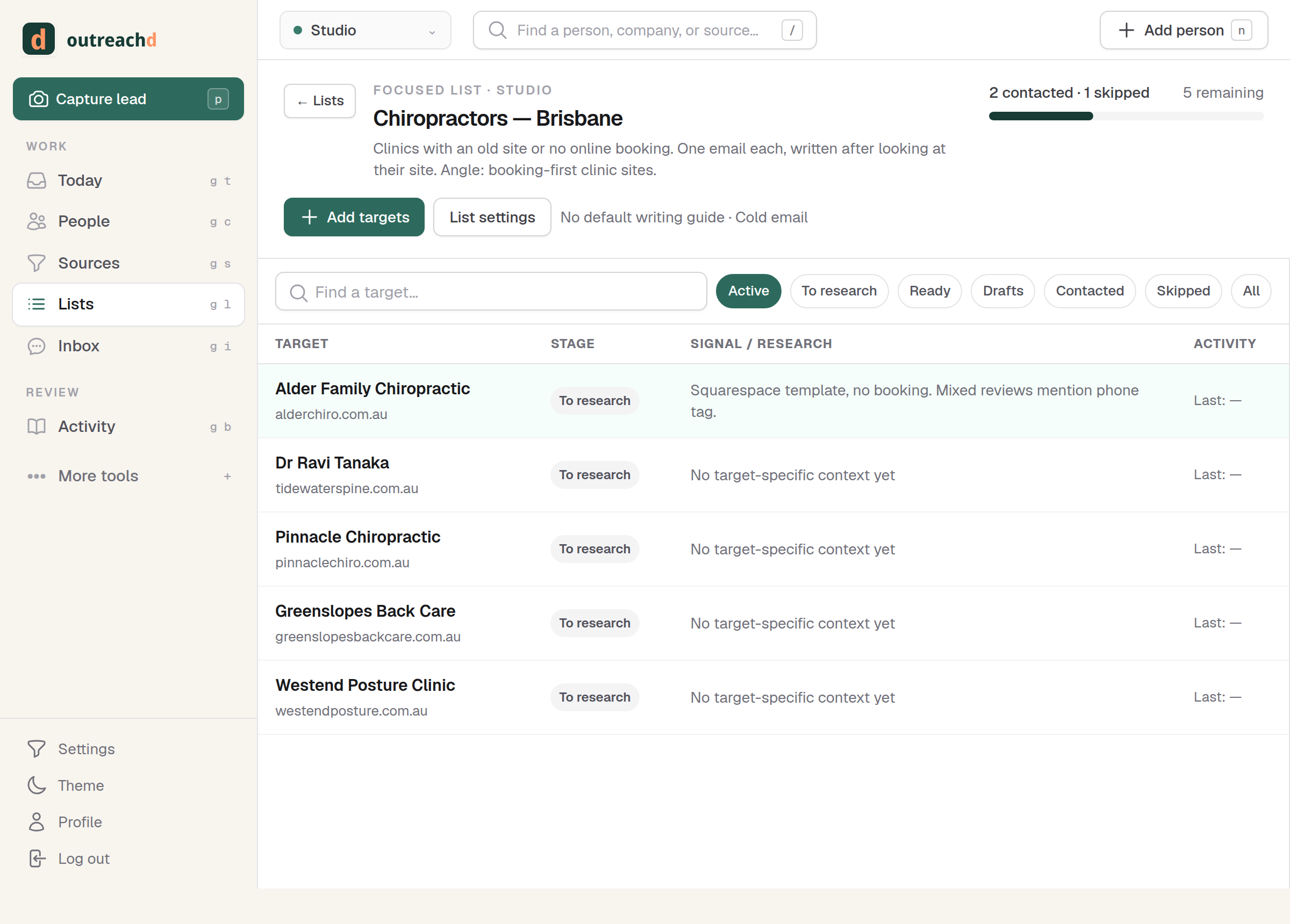
Say you want to work with chiropractors in one city. Paste the directory, or ask Claude to build the list through the MCP connection, and you have a finite set of targets. Then go through it at your own pace: look at each site, write one message, move on.
Intake is batched. Research, writing, and sending are one at a time. Still personal. We don't do bulk.
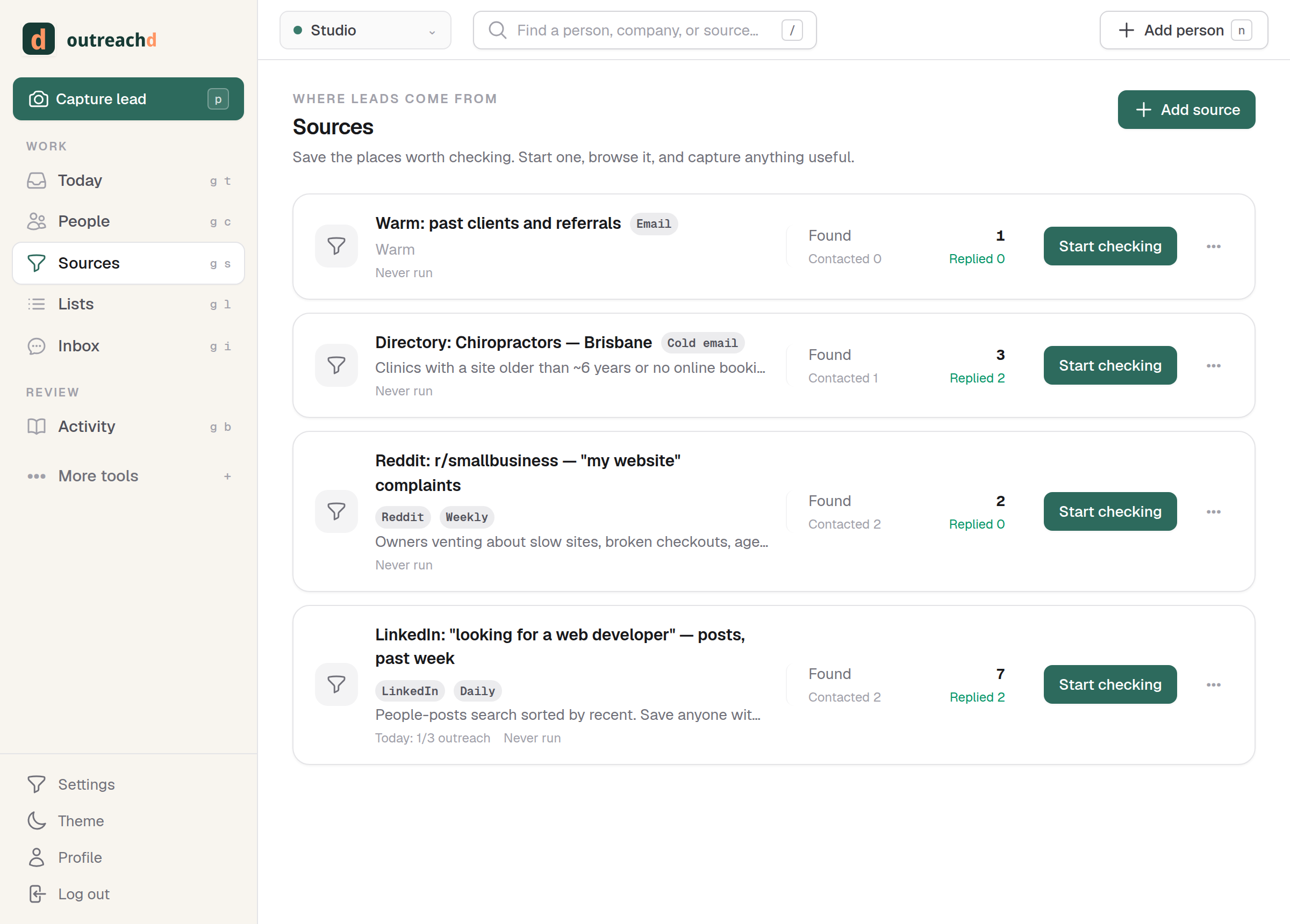
Save your searches as sources, with a cadence
A LinkedIn search with a freshness filter. A Reddit query. A job board. Save each one as a source with a target like "check every day", run it, and capture the leads you find. Outreachd tracks what each source produced, so you learn which places are worth your time.
This is what keeps you consistent on the days you'd rather be coding.
It's also the log of what you actually did
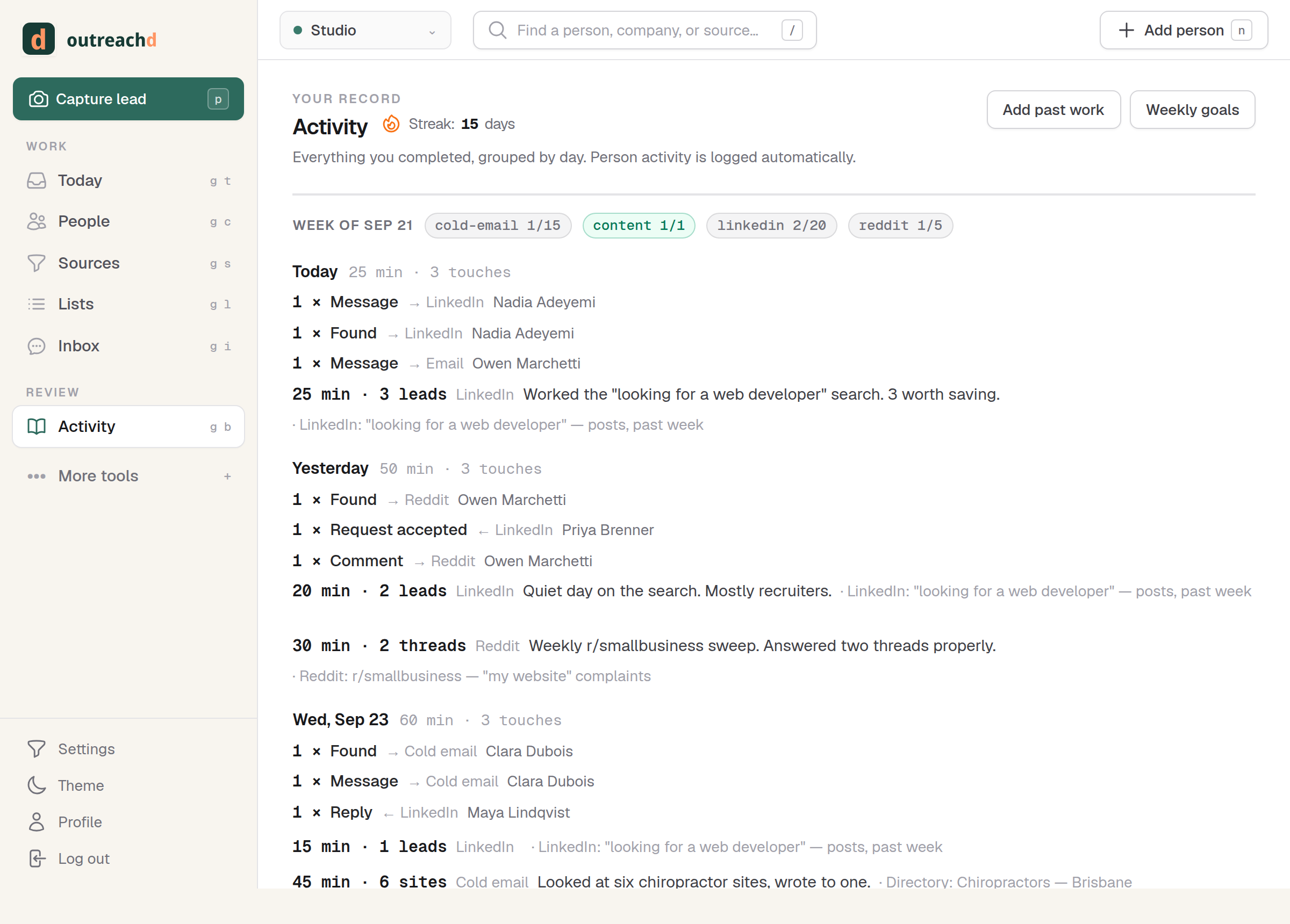
Every capture, message, reply, and source run is written to the logbook automatically. Set weekly targets for the reps you control, and see green when you showed up, regardless of who replied.
Over time the patterns are visible: which sources led to replies, which angles worked, which didn't.
Not a bulk cold email tool. On purpose.
Bulk outreach is a different job with different tools. Outreachd is for the message that one specific person will actually answer.
No sequences, no cadences, no send-to-all. You can import a list in one go. Everything after that happens one target at a time.
AI reads screenshots and drafts starting points. It never sends. Every message that goes out went through you.
Email, LinkedIn, a forum reply, a comment. Real conversations move between channels, so the log does too.
Send from the address you already use. Replies are matched back to the person. Nothing is routed through a shared sending pool.
People who do their own outreach.
- Freelancers and consultants who win work by writing to the right person at the right moment.
- Founders doing the first hundred conversations themselves, before there is a sales team.
- Developers and makers who would rather build than market, and need the marketing to happen anyway.
- Anyone running more than one venture and tired of mixing up which hat they were wearing when they wrote to someone.
It is not for anyone who needs to send thousands of emails a month. There are good tools for that. This is the opposite one.
Join the waitlist.
I'm using Outreachd every day while I refine it through real outreach. Leave your details and I'll write to you personally when there is room for a small group of testers.
I won't spam you.